Product library
All ORVENA products
Search, filter by category, sort by price and compare. Only products that exist are listed.
Career & Job SearchLive on Whop
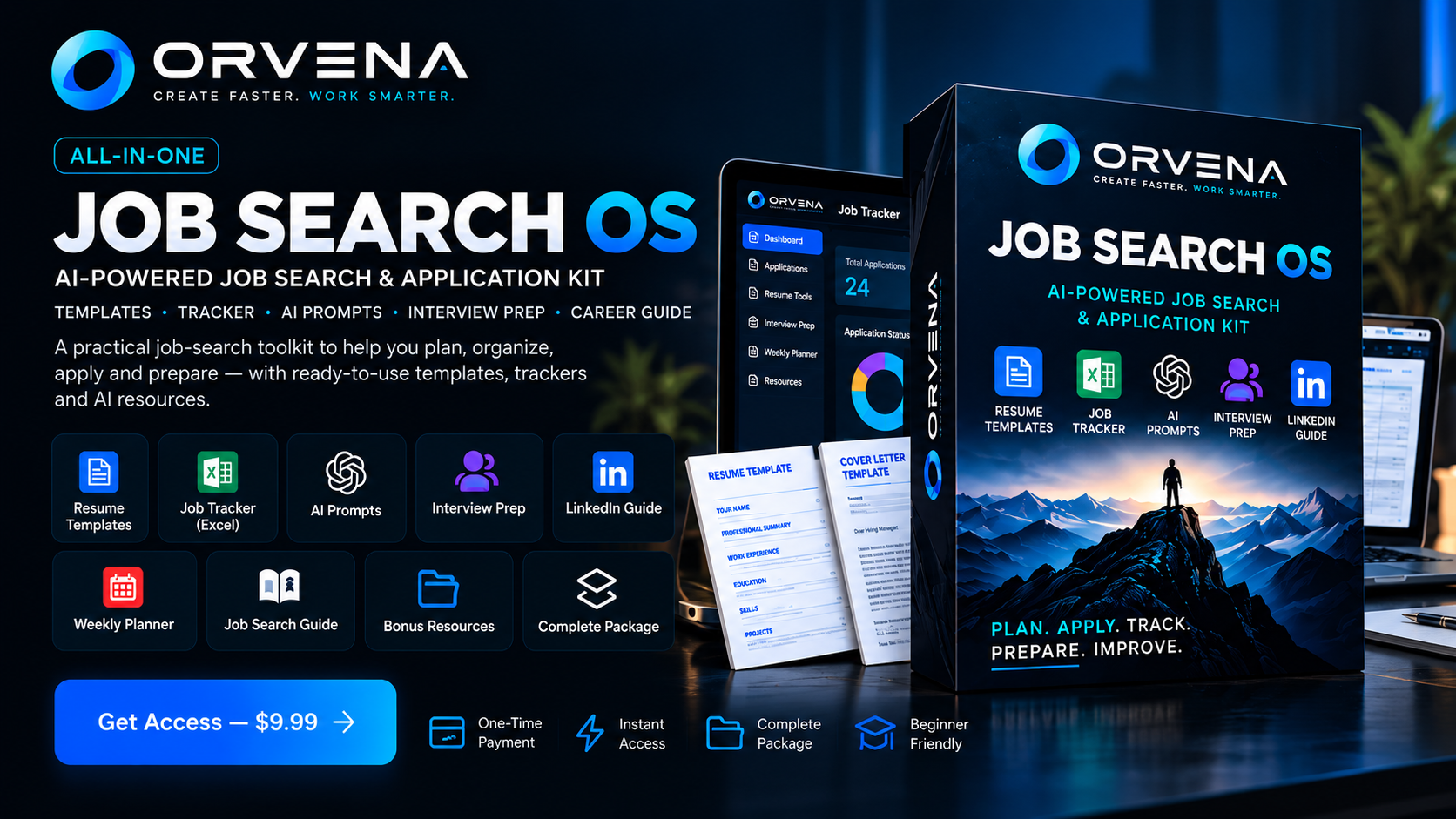
ORVENA Job Search OS
A practical system for keeping every application, stage and follow-up in one place.
- Organize job applications
- Track application stages
- Manage follow-up dates
$9.99one-time
Purchase through Whop. After checkout, Whop gives you access to the product.
Business AnalyticsLive on Whop
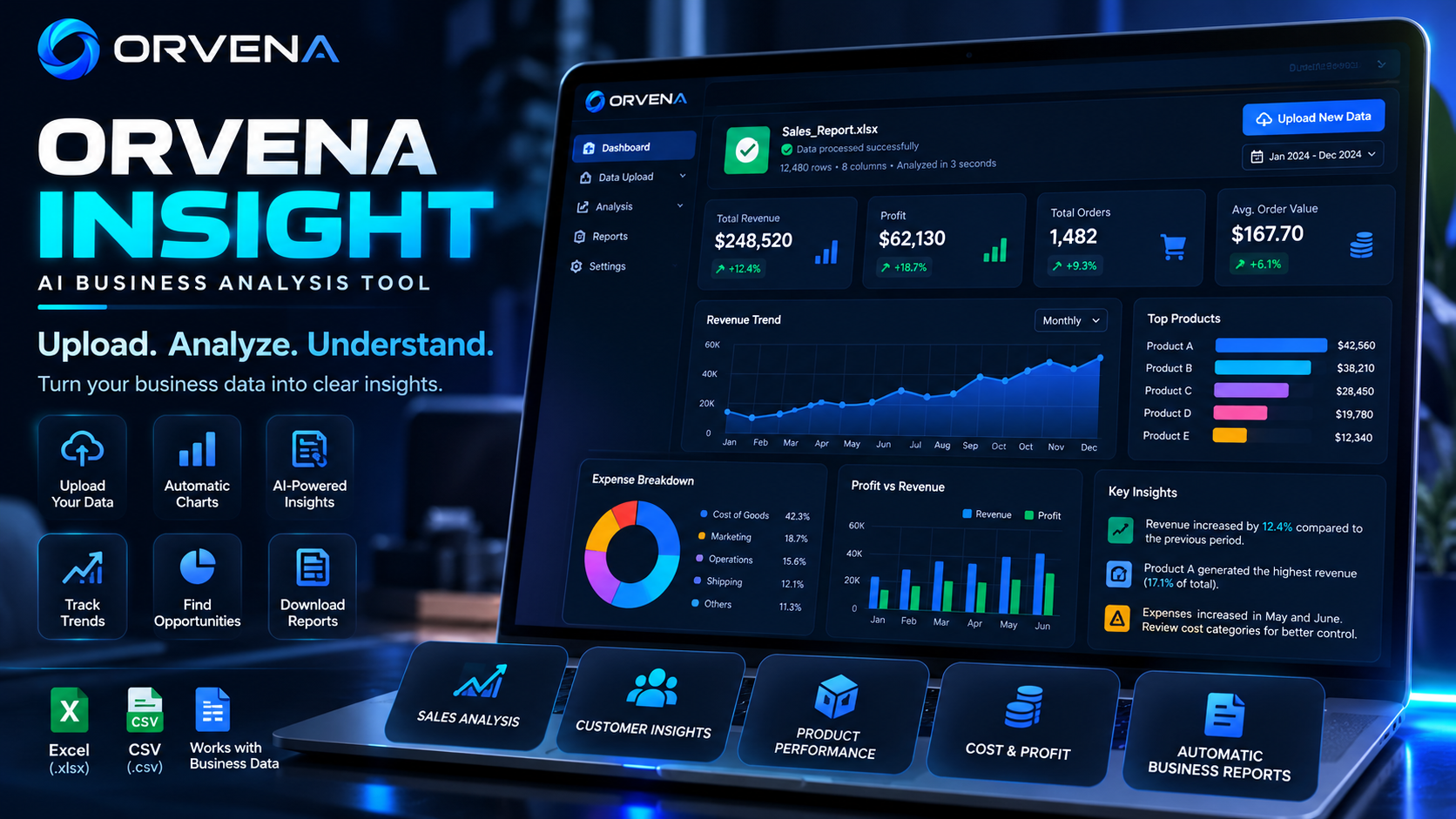
ORVENA Insight Tool
Upload a CSV or Excel file and get charts, KPIs and rule-based insights in your browser.
- Browser-based CSV and Excel upload
- Charts and KPIs
- Rule-based business insights
$9.99per month
Monthly membership on Whop. Upload and analysis are intended for active subscribers.
ProductivityLive on Whop
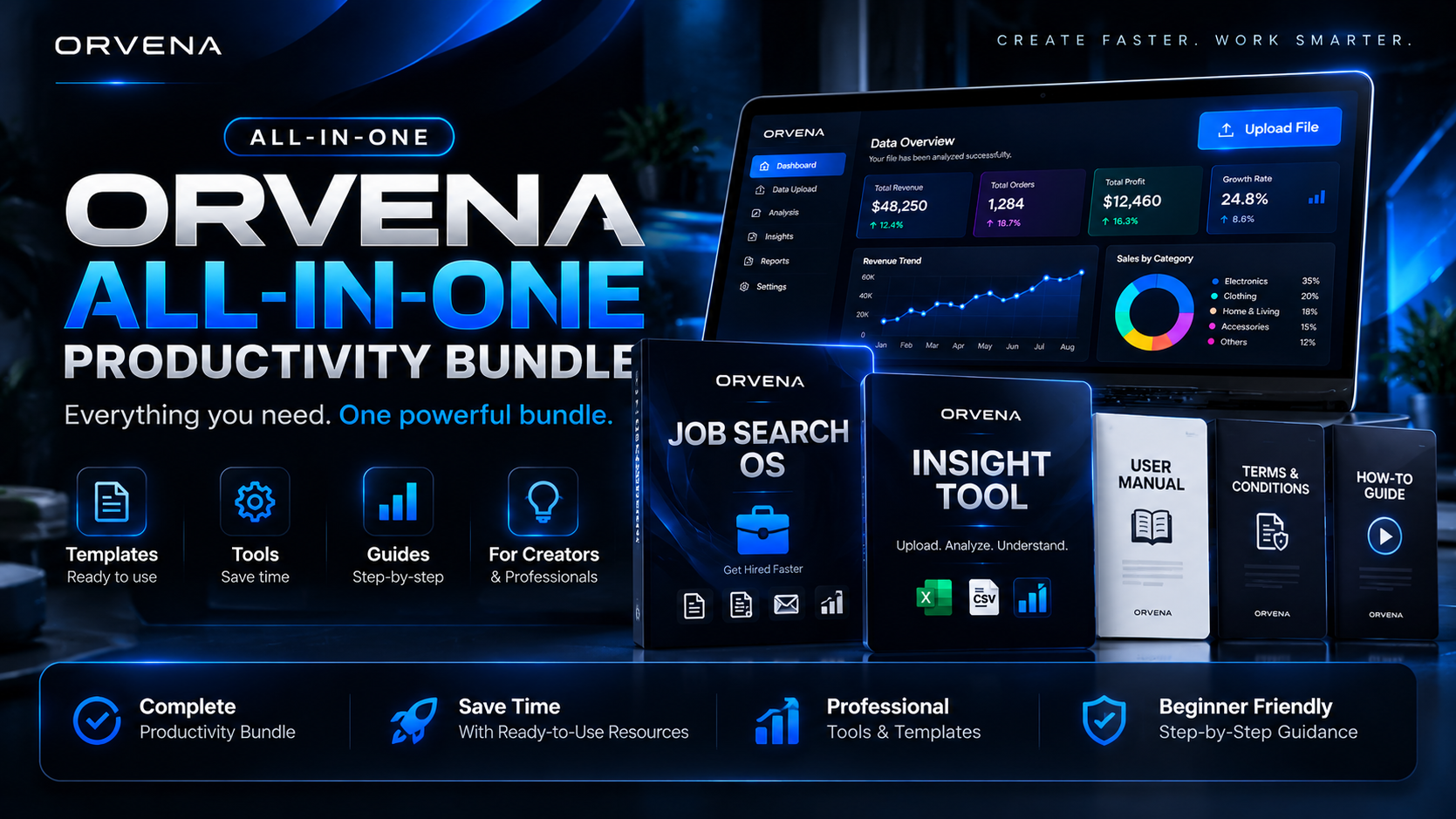
ORVENA Two-in-One Productivity Bundle
Lifetime access to Job Search OS resources and Insight Tool templates in one purchase.
- Job Search OS resources
- Insight Tool templates
- One checkout, lifetime access
$39.99one-time
Purchase through Whop. One-time payment. After checkout, Whop gives you access to the bundle.
Compare products
Only confirmed details are shown.
| ORVENA Job Search OS | ORVENA Insight Tool | ORVENA Two-in-One Productivity Bundle |
|---|
| Cover | | | |
| Category | Career & Job Search | Business Analytics | Productivity |
| Price | $9.99 one-time | $9.99 per month | $39.99 one-time |
| Access | Purchase through Whop. After checkout, Whop gives you access to the product. | Monthly membership on Whop. | One-time payment. After checkout, Whop gives you access to the bundle. |
| Key features | Organize applications
Track stages
Manage follow-ups | CSV or Excel upload
Charts and KPIs
Rule-based insights | Job Search OS resources
Insight Tool templates |
| Details | Details | Details |
Products / ORVENA Two-in-One Productivity Bundle
ProductivityLive on Whop
ORVENA Two-in-One Productivity Bundle
Lifetime access to Job Search OS resources and Insight Tool templates in one purchase.
What it does
Lifetime access to Job Search OS resources and Insight Tool templates in one purchase.
Who it is for
Customers who want Job Search OS and Insight Tool resources together instead of buying them separately.
Problems it solves
- Buying several ORVENA tools one at a time
Features available
- CSV and Excel analytics templates
- Dashboard trackers
- AI prompts
- Job application pipeline resources
What you receive
- Lifetime access to the ORVENA Two-in-One Productivity Bundle
- Job Search OS resources included in the bundle
- Insight Tool templates included in the bundle
How access works
Purchase through Whop. One-time payment. After checkout, Whop gives you access to the bundle.
After purchase
Whop confirms your purchase and gives you access to the bundle.
Preview
This bundle includes the two ORVENA products below. Open each page for details.
Questions
What is in the bundle?
The bundle includes Job Search OS resources and Insight Tool templates, as listed on its Whop page.
Is this a subscription?
No. It is listed at $39.99 as a one-time price.
ORVENA Two-in-One Productivity Bundle
$39.99 one-time
Help
How ORVENA works
Buying a product
Open a product page and use its purchase button. Checkout and payment happen on Whop.
Getting access after you pay
Whop gives access to what you bought. Sign in to Whop with the account used at checkout to find it again.
Downloads and resources
Resources are delivered through Whop as listed on each product's page. This site does not host downloads.
Files and the Insight Tool
The Insight Tool works with CSV or Excel files in your browser. Use a clean file with a header row. The demo on this site does not accept uploads.
Subscriptions
The Insight Tool is a monthly membership on Whop. Manage or cancel it from your Whop account.
Troubleshooting
Check that you are signed in to the same Whop account you bought with, then reload. If it still fails, use the support options on the product's Whop page.
My Account
Access your purchases
This site does not hold your account or payment details. Purchases, memberships and access are managed by Whop.
How to get back in
- Sign in to Whop with the account you used at checkout.
- Open the product from your Whop purchases.
- For the Insight Tool, keep your monthly membership active.
Go to Whop